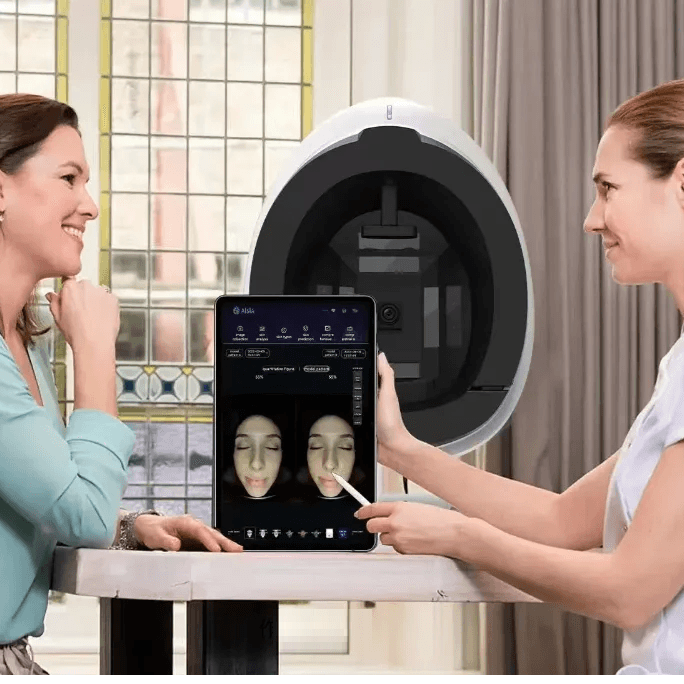
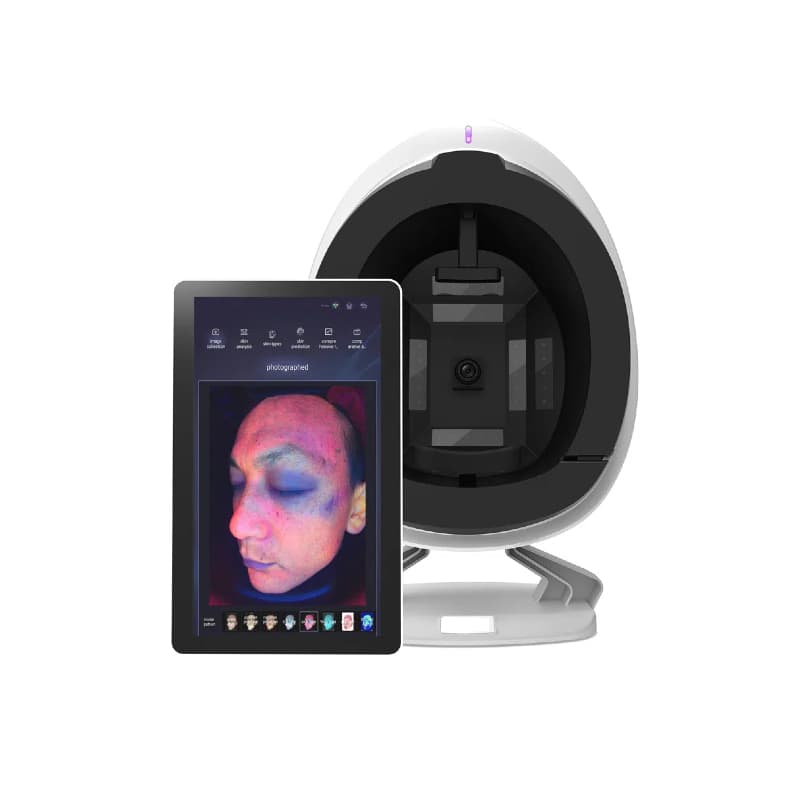
The Skin Analyzer IA is a multispectral facial analyzer that combines high-definition photography, artificial intelligence, and individual reports to assess skin characteristics, guide the care plan, and track progress between sessions.
It allows observing the face under different lighting, enlarging areas, and presenting to the client the areas that need attention. In aesthetic centers and spas, it can integrate assessment consultations, care programs, and home care guidance. In aesthetic dermatology, it offers complementary facial photographic documentation for interpretation by the professional.
A More Visual and Personalized Consultation
- Record before starting care: keeps images and reference indicators for follow-up.
- Protocols with clear objectives: helps show the appearance of pores, texture, or spots and explain what needs to be monitored.
- Communication with the client: transforms observation into images that can be enlarged, compared, and discussed during the consultation.
- Continuity between office and home: supports the review of professional care and home routine in the same follow-up.
- Service differentiation: allows structuring an evaluation proposal with imaging technology, report, and individual plan for new and regular clients.
What Skin Characteristics Can It Assess?
The system presents 19 analysis indicators. Among the characteristics described in the manual are:
- Pores and blackheads: location of visible pores and enlarged observation of areas of interest. The specific quantification of blackheads described in the manual focuses on the nose.
- Oiliness: comparison of estimated indicators in the T and U zones, allowing observation of differences between regions of the face.
- Imperfections in acne-prone skin: recording the appearance and distribution of imperfections, complemented by fluorescence modes.
- Spots and pigmentation: comparison of the distribution and contrast of pigmented areas in white light, UV, and Wood mode.
- Redness: visualization of reddened areas to relate to observation and symptoms such as burning or reaction to cosmetics.
- Lines, wrinkles, and texture: frontal and lateral observation of forehead lines, the area between the eyebrows, the contour of the eyes, and surface irregularities.
- Hydration, with the corresponding probe: the manual provides for a localized reading through a specific accessory, separate from the facial camera. Its inclusion depends on the configuration purchased.
How Does Artificial Intelligence Work?
The algorithms process patterns from the images, mark areas of interest, and organize the results into maps, markings, and evaluation scales. The professional can check these results in the photographs and relate them to the history and in-person assessment.
The software also organizes the skin profile into four axes described in the manual:
- Oily or dry.
- Resistant or sensitive.
- With or without tendency for pigmentation changes.
- With tendency for wrinkles or firm.
This classification helps gather different characteristics into the same profile. The scores are indicators from the software, not direct measurements of collagen, elasticity, firmness, or sebum production, nor probabilities of disease.
From Analysis to Care Recommendations
The recommendations area presents basic, intermediate, and advanced care, associated with the levels of the analyzed indicators. The manual shows product sheets with photographs, prices, and usage information.
The professional reviews the suggestions based on objectives, history, and client tolerance. This function allows linking the presentation of results to the conversation about office care and home products. The possibility of configuring a custom catalog or office protocols should be confirmed for the provided version.
Integration into Consultations, Packs, and Home Care
The analyzer can integrate different service formats, defined by the office:
- Facial assessment consultation: history, images, interpretation, and written plan. It can be a service with its own price or deductible value in care and products, according to the office's commercial policy.
- Care program by objective: initial assessment, treatments selected by the professional, and re-evaluations to monitor the same regions and indicators.
- Home care review: analysis of the routine already used, guidance on products with clear functions, and subsequent review of tolerance and usage.
- Maintenance plan: consultation of history and adjustment of care to persistent needs.
Practical application: in a plan for pores and oiliness, monitor relevant regions and the adequacy of cleansing and hydration; in a plan directed at spots, document the pigmented area and review photoprotection; for texture and fine lines, compare the same region under similar conditions.
These are examples of professional integration, not automatic protocols. The number of sessions, intervals, and selection of techniques and products depend on assessment, skin response, and instructions for each protocol.
Reports and Monitoring Progress
The individual profile gathers images and indicators from different dates. The tools for enlargement, marking, and comparison help show changes and review the plan with the client. The report can be accessed on mobile through a QR code.
For a useful comparison, repeat the conditions of preparation, positioning, and lighting. Interpret the differences together with the care performed and the routine used, without automatically attributing all changes to a treatment.
Technical Features
- Facial camera: industrial HD, with a resolution advertised as 36 MP by the supplier.
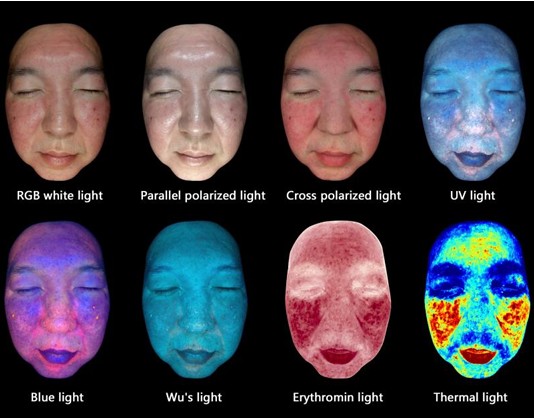
- Eight image modes: RGB, parallel polarization, crossed polarization, UV at 365 nm, blue light, Wood, redness map, and processed color map.
- Multispectral technology: combines different lighting and maps generated by the software. The color map does not correspond to a temperature measurement.
- Capture: front, right side, and left side of the face.
- Positioning: supports for forehead and chin and retractable shading cover.
- Interface: Android touchscreen, according to the provided configuration.
- Announced languages: 16, including Portuguese.
- Connection: USB data between analyzer and terminal, electrical power, and internet access configuration.
- Marking: CE.
- Machine warranty: 3 years, according to applicable conditions.
Configuration and accessories: the screen size and inclusion of the hydration probe should be confirmed for the purchased set. Hair analysis requires its own probe and module and is only available when these are included in the provided version.
How to Use
- Install the equipment according to the manual, access the application, and create or select the client's profile.
- Record the concerns and the care used. Remove makeup and pull back hair with a dark headband, avoiding white fabrics near the face.
- Use the supports and shading and keep eyes closed during capture, according to the instructions.
- Follow the sequence of photographs indicated by the application, check the results, and present the report.
- Record the guidelines and respect the cleaning instructions for contact surfaces.
Frequently Asked Questions
What is the advantage over conventional facial photographs?
The different lighting presents distinct aspects of the same region. The application gathers these images with markings and indicators, allowing for reviewing details and comparing records in the client's profile.
Does it help select treatments and products?
Yes, as support for professional decision-making. The results, profile classification, and care suggestions are evaluated together with the client's history and objectives to define the appropriate plan.
Is it necessary to perform an analysis in every session?
The re-evaluation moments are defined by the professional according to the plan. You can establish an initial record and comparisons at relevant stages, instead of applying the same frequency to all clients.
Can it support a consultation dedicated to the home care routine?
Yes. The images and report can be used to explain priorities, review products already used, and guide a written routine, with the function and usage mode of each product.
Support for defining protocols: the interpretation of results and selection of care are the responsibility of the professional. The equipment supports aesthetic assessment and facial documentation, without replacing medical diagnosis.
Tips for Creating Packs and Enhancing Services
Integrate the Skin Analyzer IA into a service with assessment, guidance, and follow-up. The following formats are suggestions for organizing the office, adaptable to existing services. They do not represent packs included in the purchase of the machine or automatic protocols from the software.
- Consultation to Know My Skin: include gathering concerns, reviewing the current routine, facial analysis, explaining the images, and delivering a care plan. It can serve as a first visit for those unsure where to start. Define a specific price or a deduction in services and products, with clear conditions.
- Evaluation and Home Care Pack: combine an initial consultation with a review consultation. In the first, organize a written routine; in the second, review the use of products, tolerance, difficulties, and relevant records. Clearly indicate whether products are sold separately or which references and quantities are included.
- Protocol and Progress Pack: associate a treatment plan selected by the professional with an initial assessment and a final comparison. Add an intermediate review when it makes sense. Present the objective, included services, and what will be observed, such as the appearance of pores, texture, or tone uniformity.
- Maintenance Plan: organize follow-up for a defined period, with professional care and planned re-evaluations. Specify what is included, products charged separately, and booking conditions. Continuity should allow adjusting care to the skin's response.
The number of treatments and intervals are defined after assessment, according to the protocol and individual response. A review consultation does not necessarily imply performing another treatment.
How to Conduct the Consultation
- Start with the client's concern: ask what they want to improve, how long it has bothered them, and what products or treatments they have already tried.
- Create the initial record: prepare the skin and capture images according to the manual, keeping a reference for future comparisons.
- Explain priorities: select one or two relevant areas for the client's objectives, show the images, and relate them to the professional assessment. Avoid presenting all scores as problems requiring treatment.
- Present a comprehensible plan: explain the objective of each care, the proposed sequence, the investment, and the review moment. Distinguish between office treatments and home products.
- Provide guidelines and follow up: provide the report, record the plan, and agree on the appropriate re-evaluation, giving the client space to decide.
Example of approach: “These are the areas we will monitor. I will explain the function of each care, and in the re-evaluation, we will compare the records and how your skin responded.”
Professional Protocols and Home Care Products
- Pores and oiliness: monitor relevant regions and frame the professional care indicated in the assessment. At home, review the adequacy of cleansing, hydration, and sun protection to the skin and the client's tolerance.
- Spots and uneven tone: document the pigmented area and clarify the nature of the change before proposing a protocol. Relate the follow-up to photoprotection and selected home care.
- Texture and fine lines: define a reference region and the objectives of the plan. Compare photographs under similar conditions and review the compatibility of the home routine with the care performed in the office.
- Comfort and hydration: consider complaints of tightness and discomfort and, when available, the reading from the specific probe. Also monitor reported comfort, which is not measured by photography.
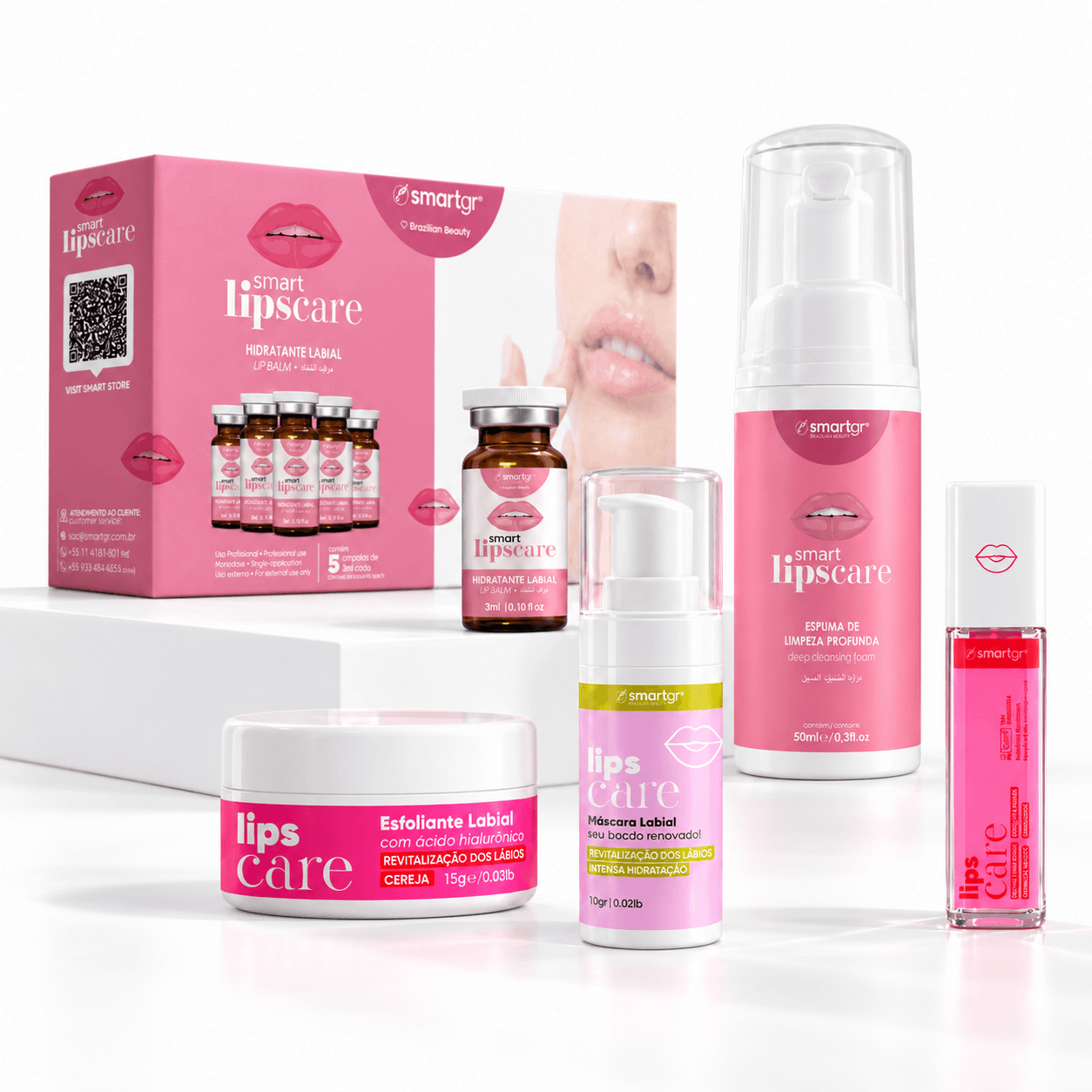
Resale with guidance: before adding products, review those the client is already using. Provide a routine with the name of each reference, its function, the order, and frequency of application according to the product instructions. Present prices and any alternatives clearly, avoiding duplicating products with the same purpose unnecessarily.
Service promotion: communicate a concrete proposal, such as “Facial assessment with image analysis, individual report, and care plan.” A demonstration of the equipment and an explanation of the service help present it. Use images of clients only with specific authorization.